Usb vevőegységek

New Cross-Border USB Receiver FM Radio Bluetooth 5.3 Audio Adapter Hands-Free Calling For Car Use

USB 5.4 Receiver Transmitter Audio For TV Computer Bluetooth With Screen 3.5mm Adapter
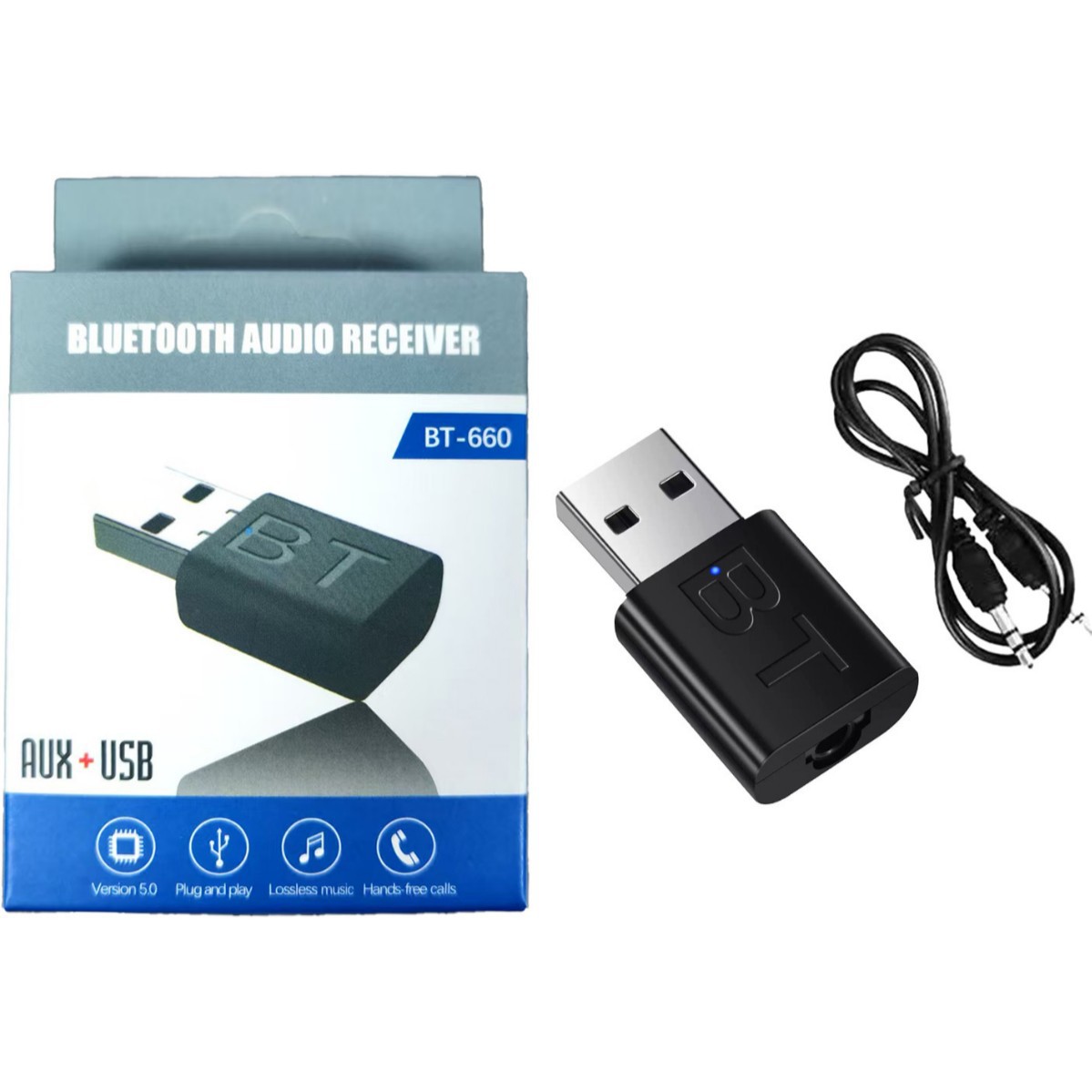
5.0 USB Receiver Speaker Amplifier AUX Audio I Car Wireless Stereo Bluetooth Dongle Adapter

3.5mm Adapter 5.0 Music Wireless Receiver USB Audio Speaker Car Bluetooth Transmitter
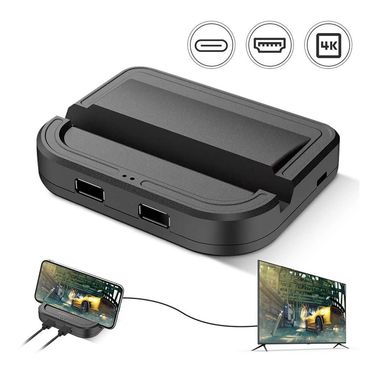
Mobil játékvezérlő Vezetékes játékbillentyűzet egér konverter játékvezérlő adapter USB C Bluetooth 5.0 PUBG Android IOS adapterhez

Xbox One 2nd Generation USB Wireless Adapter PC Wireless Adapter for Windows7/8/10 Laptops Xbox Bluetooth 2.4G Gamepad Adapter

Adapter 5.0 Driver-Free Laptop Desktop Computer USB Bluetooth Receiver Wireless Audio Converter

Nintendo Switch Bluetooth adapter audio PS4 kontrollerhez PC-hez vezeték nélküli USB/Type-C vevő adó-átalakító

Suitable for PS5 wireless headphone adapter PC computer/PS5/PS4/switch Bluetooth transmitter
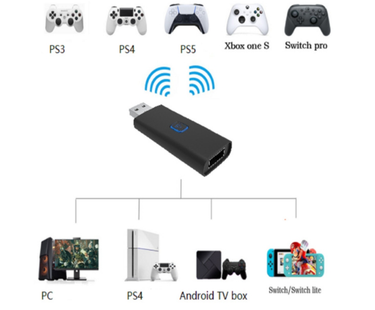
PS5 Gamepad Bluetooth Wireless Wired Adapter Supports Switch/PS/PC/Android TV Box

Audio Transmitter Wireless Headphone Adapter Receiver For PS5/PS4 Game Console PC Headset 2 In 1 USB Bluetooth 5.0

Vezeték nélküli Bluetooth 4.0 adapter PS4 Gamepad játékvezérlő konzol fejhallgató USB dongle Playstation 4 kontrollerhez

3.5mm Adapter USB Car Speaker Music Receiver 5.0 Audio Converter AUX Bluetooth Stick

USB 2-in-1 Receiver Car 5.4 Bluetooth Hands-Free Adapter Direct Plug And Play

B35 Bluetooth 5.1 Audio Receiver, USB Player Digital Optical To Analog Converter With 3.5mm Jack

Wholesale Audio Receiver USB For Desktop Computers, Driver-Free 5.0 Bluetooth Adapter

Suitable For Meta Quest3VR Gamepad - Double Snap Protection, Elastic Silicone Grip, Golf, Boating, Versus VR Games

New Four-in-One USB Bluetooth Receiver 5.0 Computer TV Audio Transmitter

Bitfunx DC VGA To HDMI™ Adapter Mini HD TV Video Audio Converter For DreamCast Game Console All Version

4-in-1 USB Receiver 5.1 Bluetooth Audio Adapter For Computer PC Transmitter External Sound Card Connection
Gaming Adapters & Receivers: Fix the Connection, Not Your Setup
You don’t usually shop for adapters or receivers because you’re excited.
You do it because something stopped working.
A controller won’t pair with your PC anymore. Your headset suddenly has audio delay. You lost a tiny USB receiver and now an expensive mouse is basically useless.
That’s exactly where gaming adapters and receivers come in—not as flashy upgrades, but as quiet problem-solvers that keep your setup playable, flexible, and future-proof.
Why Gamers Need More Than “Just an Adapter”
In gaming, connection quality is part of performance.
Latency, signal stability, and compatibility directly affect how a game feels—especially in competitive or fast-paced play.
Unlike office accessories, gaming-focused adapters are designed to handle:
- Higher data throughput
- Lower input lag
- Stable wireless connections under constant use
- Compatibility across consoles, PCs, and mobile gaming setups
This is why gamers don’t search for “Bluetooth dongle.”
They search for adapters that actually work while gaming.
Adapters: One Word, Endless Use Cases
“Adapter” is a catch-all term for a reason. Gaming setups change constantly, and adapters help bridge the gaps.
You might need one to:
- Use a console controller on PC
- Connect older accessories to newer ports
- Add wireless capability where there wasn’t any
- Upgrade audio or display output without replacing core hardware
For example, an Xbox controller adapter for PC lets you keep the controller you already love instead of buying a new one just for compatibility. It’s not about upgrading—it’s about extending the life of your gear.
Adapters give players freedom: mix platforms, reuse equipment, and build setups that evolve instead of getting replaced.
Receivers: Small Devices, Very Specific Problems
If adapters are flexible, receivers are precise.
People don’t casually browse for receivers—they search because:
- A USB gaming receiver was lost
- A keyboard or mouse suddenly won’t connect
- Wireless performance degraded after a system update
- They want to upgrade to a faster or more stable signal
A reliable USB gaming receiver can bring peripherals back to life instantly. No pairing headaches, no new hardware ecosystem—just plug in and play again.
Receivers also matter when upgrading. Whether it’s higher refresh rates, better audio sync, or smoother wireless control, the right receiver can unlock performance your device already supports but couldn’t access before.
Audio Matters: Wireless Without the Lag
Sound delay ruins immersion.
That’s why gaming setups increasingly rely on dedicated wireless audio solutions instead of generic Bluetooth.
A wireless audio transmitter designed for gaming focuses on:
- Low-latency signal transmission
- Stable audio under long sessions
- Clean sync between visuals and sound
This makes a noticeable difference whether you’re gaming on console, PC, or even a TV-based setup. The goal isn’t just wireless convenience—it’s keeping reaction timing intact.
Adapters as Part of a Smarter Gaming Ecosystem
Adapters and receivers don’t live alone in a setup. They work best as part of a modular system that’s easy to maintain and adjust.
Gamers who think long-term often pair them with:
- Replacement-focused categories like gaming console parts and replacements, so small failures don’t mean full system downtime
- Protective carry options such as a gaming storage bag, especially for portable consoles, controllers, and dongles
- Broader gaming gear and accessories that allow mixing wired, wireless, old, and new devices seamlessly
This modular approach keeps costs down and flexibility high—no need to rebuild your setup every year.
For Players Who Value Control Over Convenience
Gaming adapters and receivers aren’t about aesthetics. They’re about control:
- Control over compatibility
- Control over latency
- Control over how and where you play
Whether you’re switching between platforms, fixing an unexpected connection issue, or upgrading one small link in your chain, these tools let you solve problems without compromising your playstyle.
Because the best gaming setups aren’t always the newest—they’re the ones that keep working exactly the way you want them to.